Plan it.
Approve it.
Post it everywhere.
The social media calendar for teams. Write once, get it signed off, and publish to LinkedIn, Bluesky, Mastodon, Telegram, Discord and more.
7 days free, no credit card needed. Cancel any time. Plans from $12 a month.
- networks, including webhooks
- 8
- roles, from owner to viewer
- 4
- videos, uploaded in chunks
- 15 min
- sign-in on every plan
- 2FA
Everything your social calendar needs, nothing it doesn’t.
Every screen below is the real product. Swipe through all four.
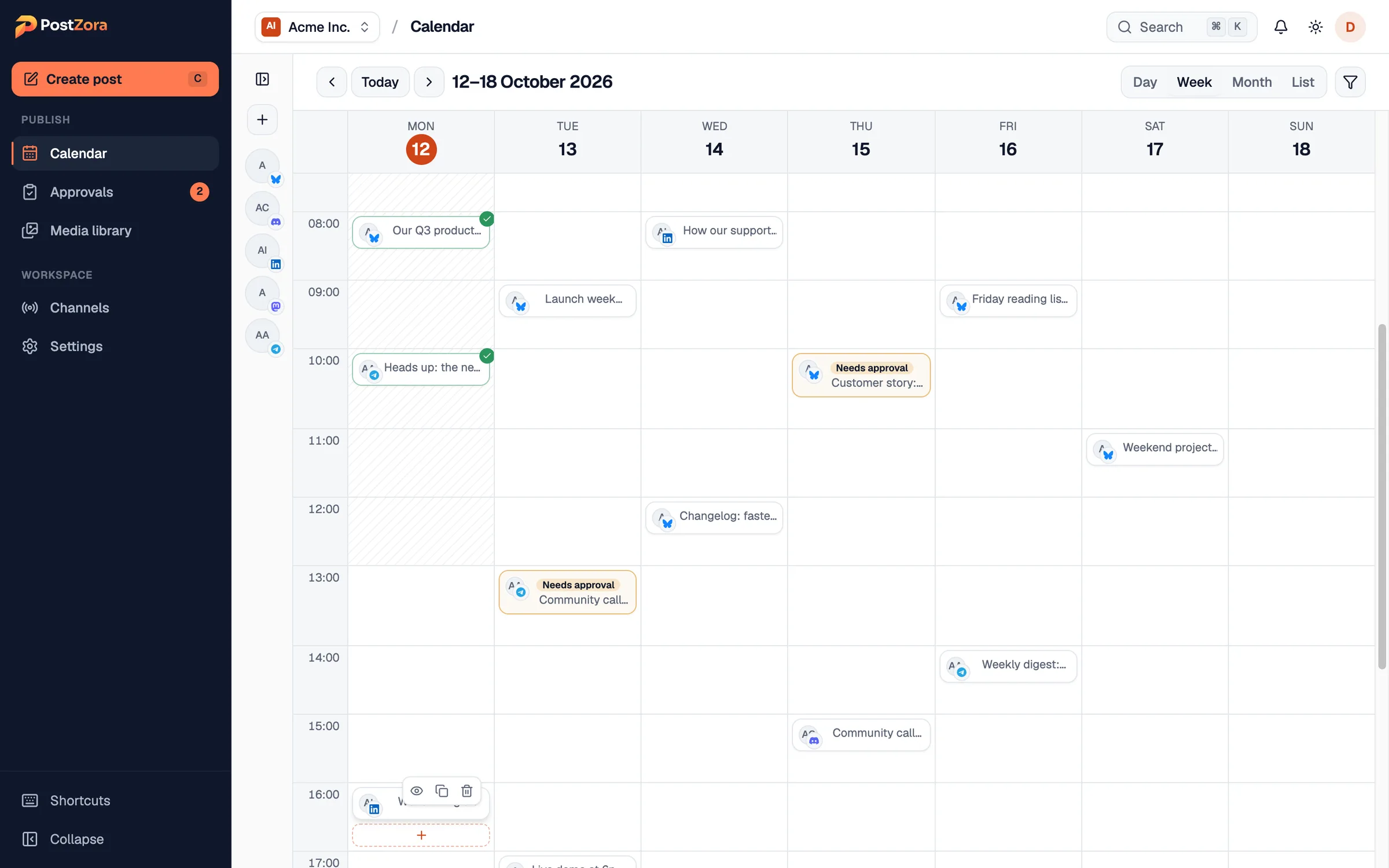
See every channel’s week on one calendar
Day, week, month and list views. Drag a post to a new time, filter by brand, and see your posting times marked so gaps stand out.
- Drag to reschedule
- Posting times per channel
- Workspace time zone
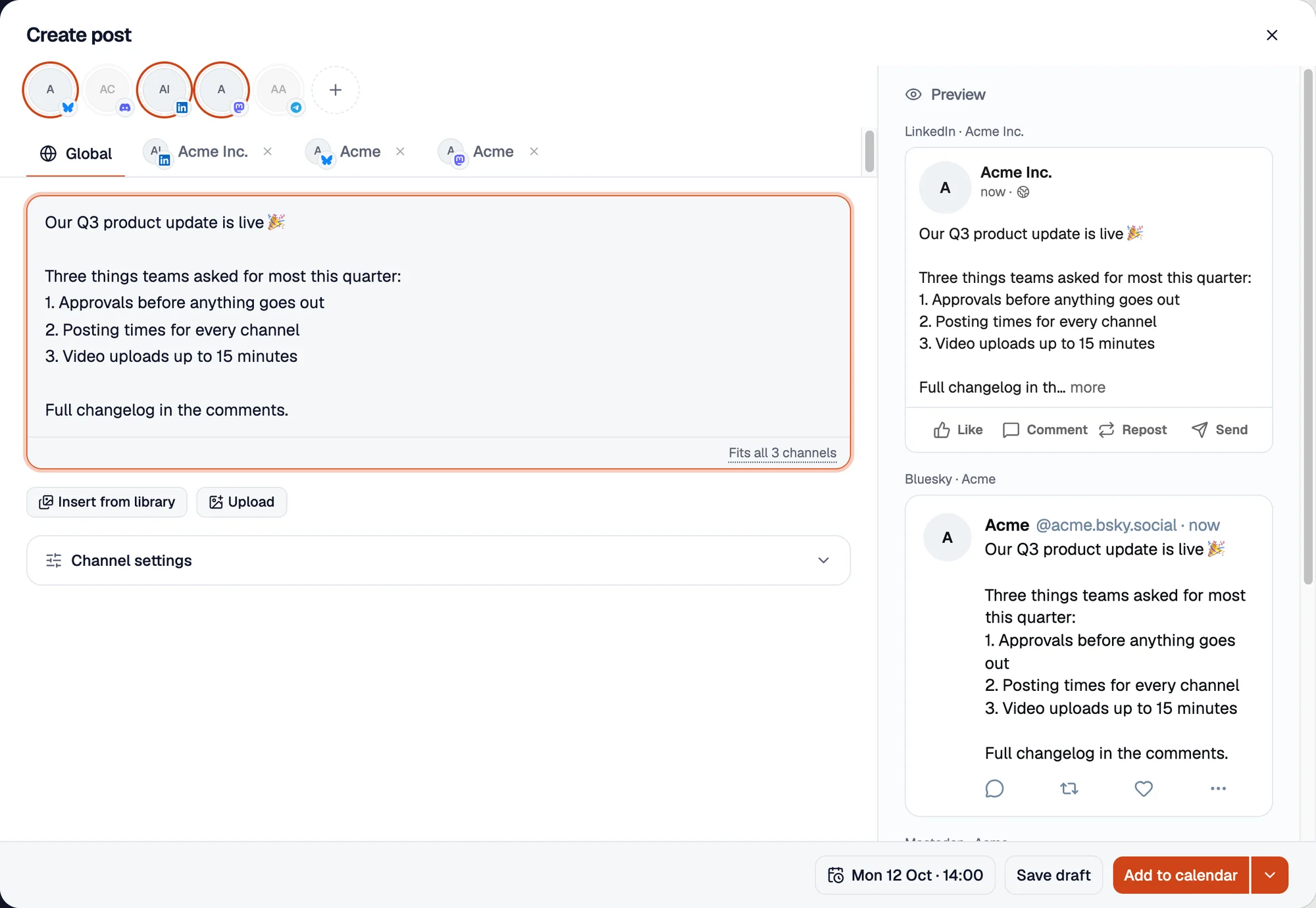
Write once, shape it for every network
Start from one draft, then tailor the words, media and settings for each network, with live previews and real character limits.
- Live previews
- Character counts per network
- Video up to 15 minutes
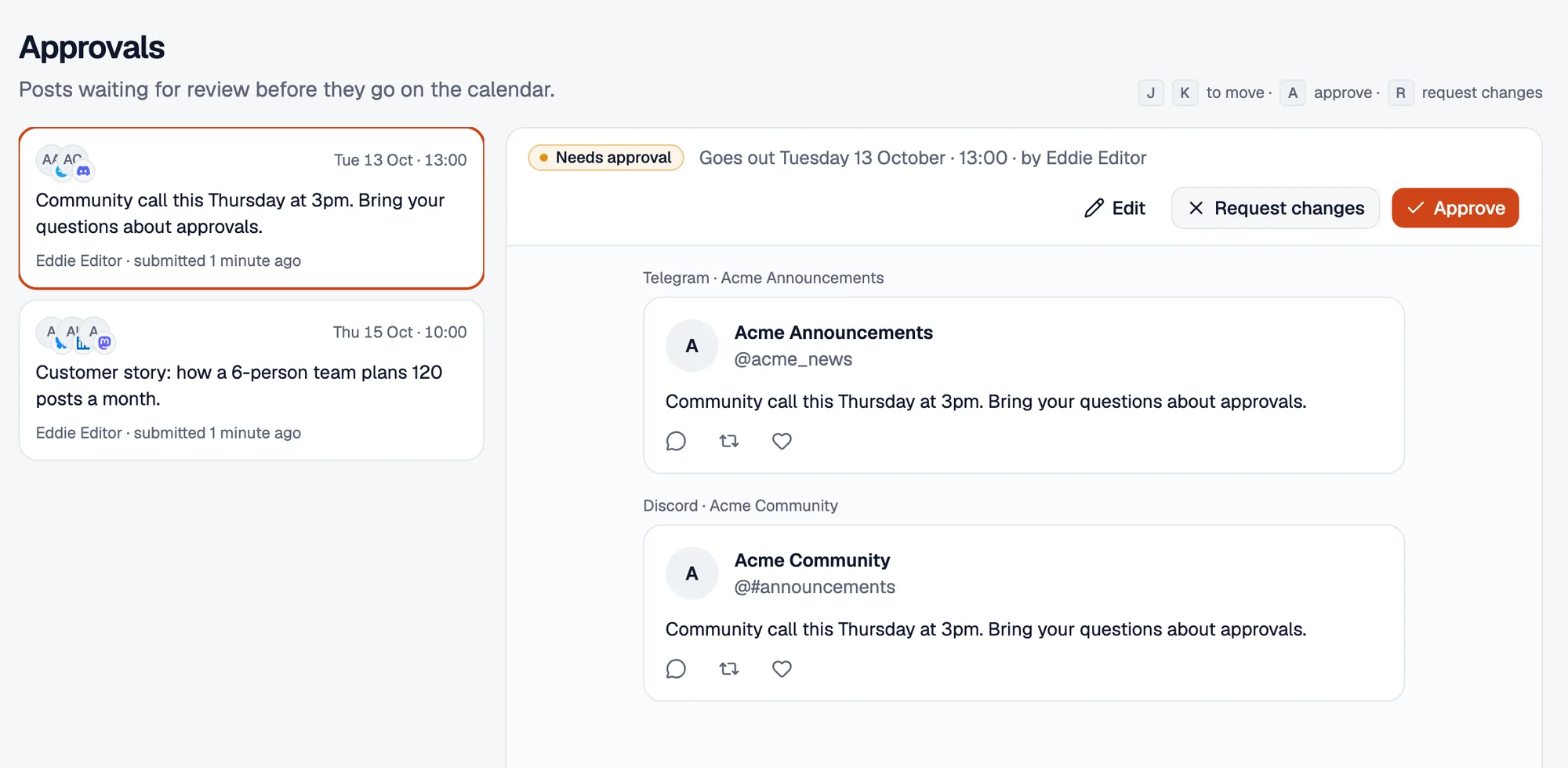
Nothing goes live without a yes
Editors submit, admins approve or send it back with a note. Keyboard shortcuts make clearing the queue quick.
- Approvals inbox with a count
- Request changes with a reason
- Four clear roles
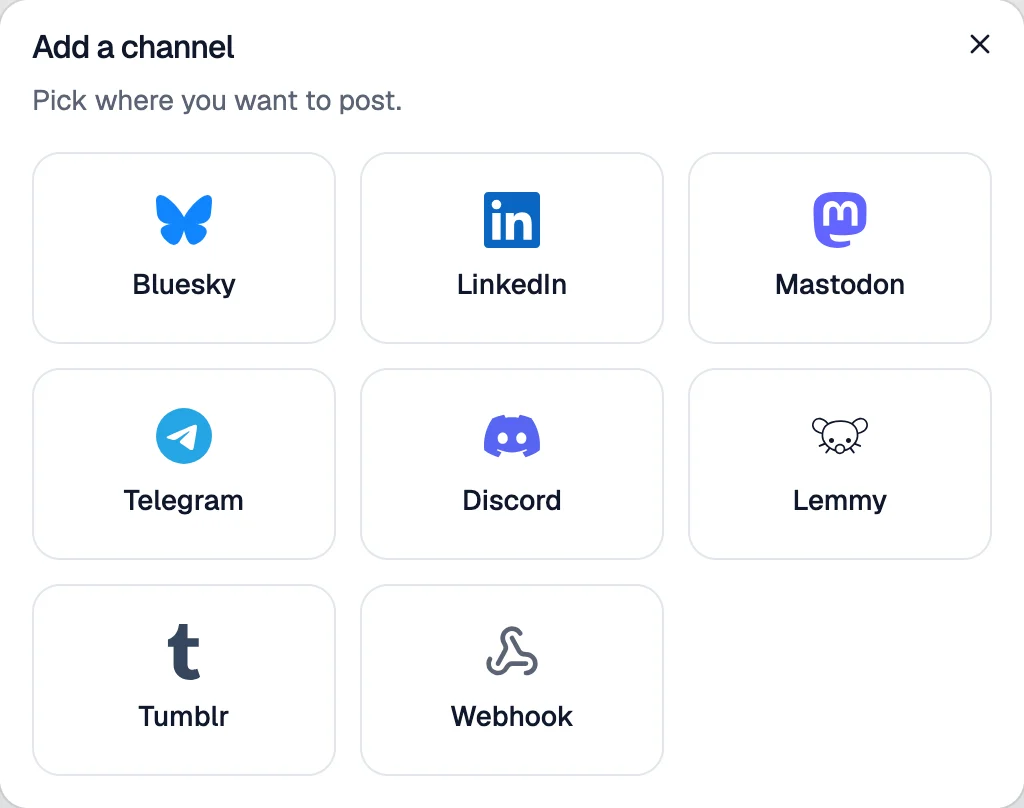
Every network your audience is on
LinkedIn and Bluesky, plus the open web and the community apps other tools skip. Most connect in under a minute.
- Mastodon on any server
- Telegram, Discord and Lemmy
- Signed webhooks for everything else
From draft to published, without the back-and-forth.
One shared flow for writers and reviewers. Everyone can see where every post stands.
- 1Draft
Sam writes the post and tailors it per network.
- 2Needs approval
Priya gets a notification and reviews it.
- 3Scheduled
Approved posts take the next free posting time.
- 4Published
It goes out on every network, exactly once.
Built for the way your team posts.
One calendar, and nothing goes live without sign-off.
- Approvals with a review history on every post
- Writers, reviewers and viewers with clear roles
- Posting times per channel, in your time zone
Every client in their own workspace, never mixed up.
- A workspace per client, each with its own channels and team
- Switch clients in one click
- Client approval links and white-label reports on the way
Reach members where they actually read updates.
- Discord, Telegram and Lemmy alongside LinkedIn and Bluesky
- Send silently or control who gets pinged
- Mastodon on any server, including your own
Show up everywhere without living in five apps.
- Write once and adapt the text per network
- Queue a whole week in one sitting
- Try it free for 7 days, no card needed
Post where your audience actually is.
Each network with its real limits and settings built in, so the editor warns you before the network does.
Compare networks- LinkedIn3,000 characters, video, 9 images
- Bluesky300 characters, video, 4 images
- Mastodon500 characters, video, 4 images
- Telegram4,096 characters, video, 10 images
- Discord2,000 characters, video, 10 images
- Lemmy10,000 characters, 1 image
- Tumblr10,000 characters, video, 10 images
- Webhook10,000 characters
Coming next: Threads, Instagram, Facebook Pages, LinkedIn Pages, YouTube, TikTok, Pinterest, X, Slack, Nostr.
Will your post fit? Try it here.
Paste a post and watch it measured against every network’s limit, exactly the way the Postzora composer does it.
0 characters
- BlueskyFits0 / 300
- MastodonFits0 / 500
- DiscordFits0 / 2,000
- LinkedInFits0 / 3,000
- TelegramFits0 / 4,096
- LemmyFits0 / 10,000
- TumblrFits0 / 10,000
Moving from another tool? It takes an afternoon.
Run both side by side while you switch. Nothing to install, and 7 free days is plenty to try it properly.
- 1
Connect your channels
Most networks connect in under a minute. Bluesky, Telegram and Discord need no app review at all.
- 2
Set your posting times
Give each channel the times it should post, and the queue fills the next free one for you.
- 3
Invite your team
Add writers, reviewers and viewers, and switch on approvals when you’re ready.
Built for brands that can’t afford a slip.
Reliability and security come with every account, not with an enterprise contract.
How publishing worksEach post goes out once
Publishing is locked per post and network, and temporary errors retry on their own.
Your accounts stay safe
Network credentials are encrypted at rest, and two-factor sign-in protects every login.
Problems explain themselves
A rejected post tells you why. Channels that need reconnecting are flagged before they cost you a post.
Simple plans. Seats included.
Compare every featureCreator
$12a month
For creators and founders posting everywhere.
Start 7-day free trial- Most popular
Team
$29a month
For marketing teams that review before they post.
Start 7-day free trial Agency
$79a month
For agencies running many brands.
Start 7-day free trial
Prices in US dollars, billed monthly. Save two months with yearly billing. 7 days free, no credit card needed. Cancel any time.
Questions teams ask before switching
Still deciding? The free trial is the quickest way to find out. It takes about a minute to set up.
Which networks can I post to?
LinkedIn, Bluesky, Mastodon, Telegram, Discord, Lemmy, Tumblr and any webhook today. Threads, Instagram, Facebook Pages, LinkedIn Pages, YouTube, TikTok, Pinterest and more are on the roadmap.
I already use another scheduler. Is switching hard?
No. Connect your channels, set posting times and invite your team; most teams are set up in an afternoon. You can run both tools side by side while you move over.
How do approvals work?
Turn on approvals for a workspace and posts from editors wait for an admin or owner. They can approve and schedule it, or send it back with a note. Admins and owners can still schedule directly.
Do I pay per seat?
Not until your team grows. Creator is for one person, Team includes 3 seats and Agency includes 10, with extra seats at $8 each.
Can I customize a post for each network?
Yes. Start from one shared text, then change the wording, media and settings for any network. Character limits and previews update as you type.
What happens if a post fails?
Temporary problems retry automatically. If a network rejects the post, it is marked as failed with the reason, and you get a notification so you can fix it and try again.
Can I try it before I pay?
Yes. Every plan starts with a 7-day free trial with everything included. No credit card is needed to start.
Your next week of posts, approved and scheduled by lunch.
Try every feature free for 7 days and connect your first channel in about a minute. No credit card needed.